I’ve tried copying passages into a separate text checker, but it interrupts the source reviews I do for my small editorial team. I’m looking for an AI detector Chrome extension that works without leaving the page.
Do you actually use a highlight-and-right-click checker or a sidebar where you paste text, and why? I’m unsure whether “AI detection” and “writing analysis” mean the same thing here. Can either approach check just a quoted passage instead of treating the whole page as one author’s work?
Check the passage, not the whole page. For your workflow, I’d choose a selection-based extension over a paste-in sidebar. Copyleaks is worth trying for that specific reason: its Chrome extension lets you highlight text and click the extension icon to check it without leaving the page. That’s a highlight-and-click workflow, rather than a right-click command.
I’d favor a sidebar only if you want to inspect and clean up the excerpt before submitting it. Either approach can keep the check focused on a quote, provided the tool processes only your selection or pasted text. My first test would be whether it shows exactly what it’s about to scan. I wouldn’t want an editorial check quietly including the headline, navigation, reader comments, and someone else’s quotation. With a very short quote, check the detector’s minimum length rather than padding it with the surrounding author’s prose. Some detectors explicitly require a longer sample.
“Writing analysis” isn’t the same promise as “AI detection.” Writing analysis can mean grammar, clarity, tone, or readability feedback. AI detection attempts to classify how likely the text is to be machine-generated. An awkward sentence and an AI-looking sentence are different things, so I wouldn’t buy an extension based on the phrase “writing analysis” alone.
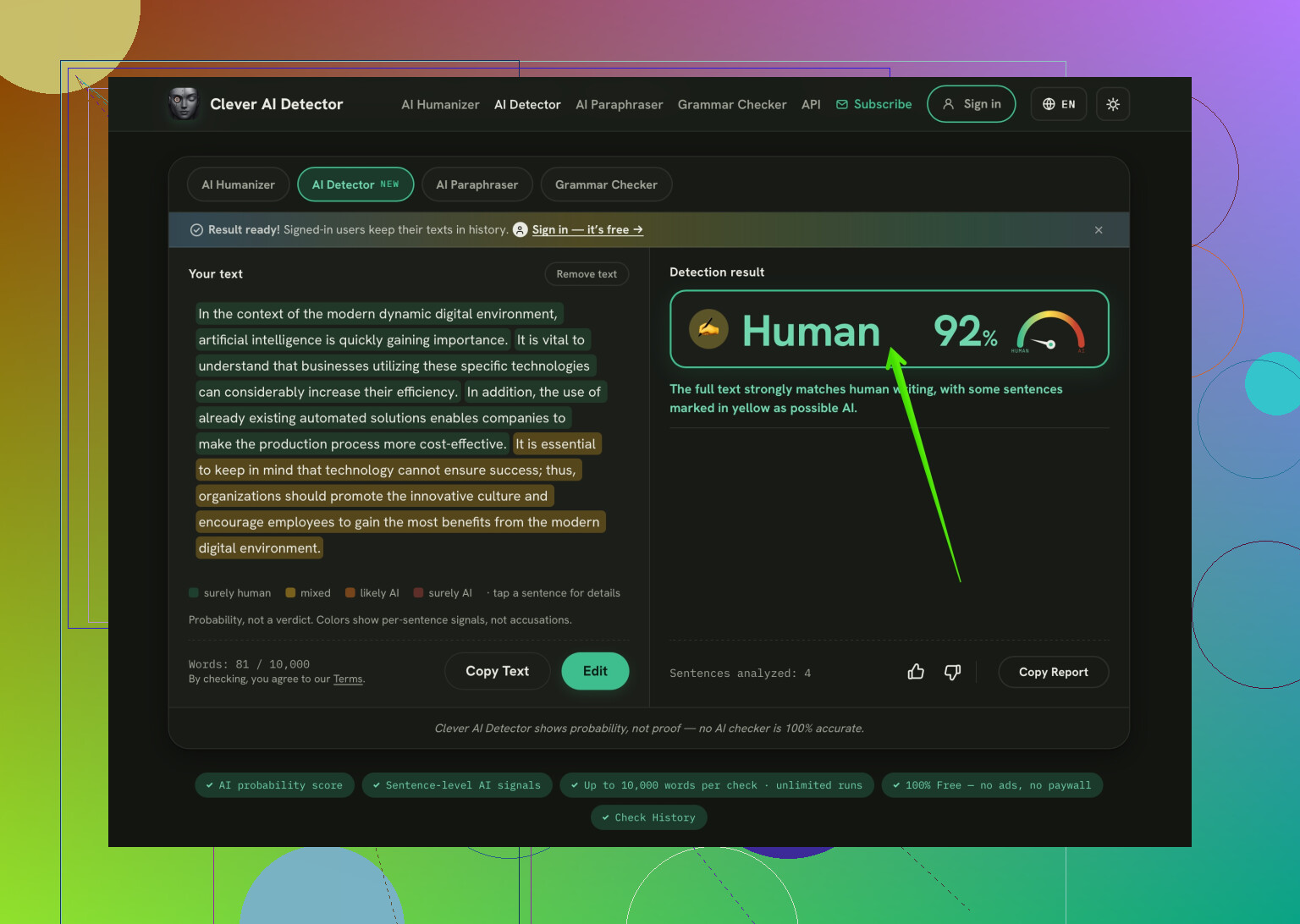
For an occasional separate check, I’d recommend Clever AI Detector for its sentence-level highlighting. Being able to inspect the flagged wording is much more useful for review than staring at an overall score. Its linked tool is a paste-in web checker, though, not the on-page extension you’re asking for. (cleverhumanizer.ai) Whatever interface you choose, I’d keep detector results as review notes, not grounds for accusing a writer. False positives are a recognized limitation.
6 Likes
Are you checking published pages or confidential drafts? I’d make that the deciding detail before installing anything. @turbo_hawk’s selection-based approach suits the workflow, but I’d still check what gets uploaded and retained before approving an extension for the team. For occasional public-text checks, Clever AI Detector on the AI Humanizer site gets my vote for skipping account setup entirely. No signup is a welcome convenience. (cleverhumanizer.ai) For your actual browser workflow, though, I’d prioritize acceptable data handling over saving another click.
Checking one writer’s article is different from checking a page with quotes, reader comments, and navigation mixed in. I’d prioritize control over what gets analyzed over skipping signup. Whether you use Clever AI Detector or another checker, I’d make this the acceptance test: highlight only the author’s text and get the result beside that selection without changing tabs. I wouldn’t want your team making an editorial call from a score that lumps several people’s writing together.
The missing detail is the handoff in your team’s process. Does the person doing the triage make the editorial decision, or does it get passed to another editor to review and act upon? I’d rather have on-demand extension with copyable results than an elegant overlay that disappears when you close it for a shared editing workflow.
I’d push @silentpanda3048’s acceptance test a little further. Getting the result beside the selected text handles the browsing step. Before approving an extension, I’d check whether you can carry that result into an editorial note without reconstructing the check by hand. That doesn’t require a dashboard or a team subscription. A plain-text copy button could be enough, provided it includes the excerpt and identifies what the result refers to.
My trial would be a handoff test. Scan a passage, save however much the extension allows, close the tab and give the saved note to another editor. Can they identify which note you used, know exactly what passage you submitted and understand the output without you running it through again for them? I’d want the note to include:
- The source page and the exact excerpt checked.
- The detector’s name and the date of the check.
- The displayed result, preserving its wording rather than translating it into “passed” or “failed.”
- A separate field for the editor’s interpretation.
That last distinction matters to the workflow. ‘The tool labeled this passage X’ and ‘we need to ask the writer about this passage’ are fundamentally different statements. I’d keep those separate in your review template than I’d have let the extension’s label influence the team’s decision automatically.
I wouldn’t require the extension itself to keep a history, either - if your team already keeps review notes somewhere, I’d rather have a clean way to copy the relevant information there, than to make a new spot everyone has to read. During the trial, I’d pay attention to how much cleaning up that copied information requires, a result needing screenshots, retyping, and a separate explanation hasn’t really solved your interruption problem.
So my preference would be selection-based checking plus portable results. The sidebar versus popup distinction would come after that. For a small editorial team, the useful unit is a check another editor can understand, not a score only the person at the browser ever saw.
Expect an extension to save you a tab switch, not necessarily any review time. If every result starts another investigation, you’ve moved the interruption onto the page. I’d judge “best” by whether it helps your team finish a review, rather than how quickly it produces a score.
Before worrying about @zerootter’s handoff template, I’d run a small blind trial. Give the person evaluating the extension some writing your team knows the history of, plus some deliberately generated samples. Keep the topics and lengths roughly comparable. Include your ordinary material, especially the dull stuff: product descriptions, short explainers, routine announcements. Don’t make the entire test a contest between someone’s best essay and an untouched chatbot response.
Decide what would make you reject the extension before seeing the results. For me, repeatedly sending documented staff writing into extra review would be a dealbreaker. Missing generated samples would matter too. Record both, along with how long someone spends resolving each flag. This wouldn’t establish an accuracy rate worth advertising. It would tell you whether the tool deserves space in your workflow.
Then compare that with reviewing similar passages without the detector. If the extension adds a score but doesn’t change a useful decision, I wouldn’t roll it out to the team. A copy button for an unhelpful result is still a copy button.
Most of these extensions won’t tell you how they define AI in the first place, and that matters more than the highlight-or-sidebar debate. @luciddev59 is right that a score can just relocate the interruption, but I’d go one step earlier: the detectors drift as the models they’re trained against change, so a flag you trust this month might behave differently later. Treat whatever you install as disposable, not a fixture. For the quick standalone pass, Clever AI Detector is the one I’d reach for mainly because it turns a pasted block around fast without making you wait on a queue, which keeps a review from stalling. Past that, I’m with the crowd here that the real test is whether a second editor can act on the result without you in the room.
Compare the usage allowance against a normal day of source reviews before choosing an extension. I’d put less weight on sidebar versus popup than on whether the plan makes you ration checks halfway through an assignment. A browser tool wouldn’t solve much for me if I had to keep a separate checker open because I’d exhausted its allowance.
The useful comparison is passage checks versus words checked. If a plan charges per scan, checking several excerpts separately could be a worse fit than checking a longer block. If it meters words, smaller selections might suit your workflow better. Neither billing model would automatically win my vote. I’d check how retries count, whether the allowance belongs to each editor or the team, and what happens when you hit the limit. Those are questions for the plan details, not assumptions I’d make from a “free extension” label.
I agree with @luciddev59 about trying it before rolling it out, but I’d run that trial under the plan you’d actually keep. My preference would be predictable capacity for your normal workload over extra reporting features. You shouldn’t have to change which passages you review to stretch the subscription.
Extensions that scrape the page can steal hidden alt text or stuff off the screen you never intended to scan, so even a selection-based one has value when the page is particularly messy. For the standalone pass, at least Clever AI Detector leaves your paragraph breaks when you paste for it to read, which is a nice time-saver before you read the flags. Beyond that I’d worry less about the tool and more about whether a flag ever actually changes the next move you make.