I’m running out of iPhone storage and want to know if there’s any safe way to upgrade it without voiding Apple’s warranty. I’ve seen repair shops mention storage upgrades, but I’m not sure if that counts as an unauthorized modification or could affect future AppleCare or warranty service.
I get why this is annoying. iPhones cost a lot, and it feels pretty bad when the storage size you picked months or years ago starts feeling way too small.
The short answer is: you can’t upgrade an iPhone’s internal storage after buying it. Not in any normal, supported way. You might run into repair shops or random guides saying they can replace the storage chip, but I’d stay far away from that. It means desoldering the memory chip, soldering on another one, and messing with firmware. That’s not a regular repair. If it goes wrong, the phone can be completely dead. And even if it works, your warranty is gone, and Apple likely won’t service that phone later.
So the realistic option is to free up space and move some stuff off the phone.
Start with Settings > General > iPhone Storage. That page is usually the fastest way to see what’s actually eating the space. For most people, it’s photos, videos, apps, or years of Messages attachments.
If apps are taking up too much room, try Offload Unused Apps instead of deleting everything. It removes the app itself but keeps your data. Later, if you tap the app again, it downloads back and your stuff should still be there.
Messages can also get out of hand. Old threads often have tons of videos, GIFs, screenshots, and random attachments sitting there for years. If you don’t need all of that forever, you can set messages to delete after 30 days or 1 year so it doesn’t keep piling up.
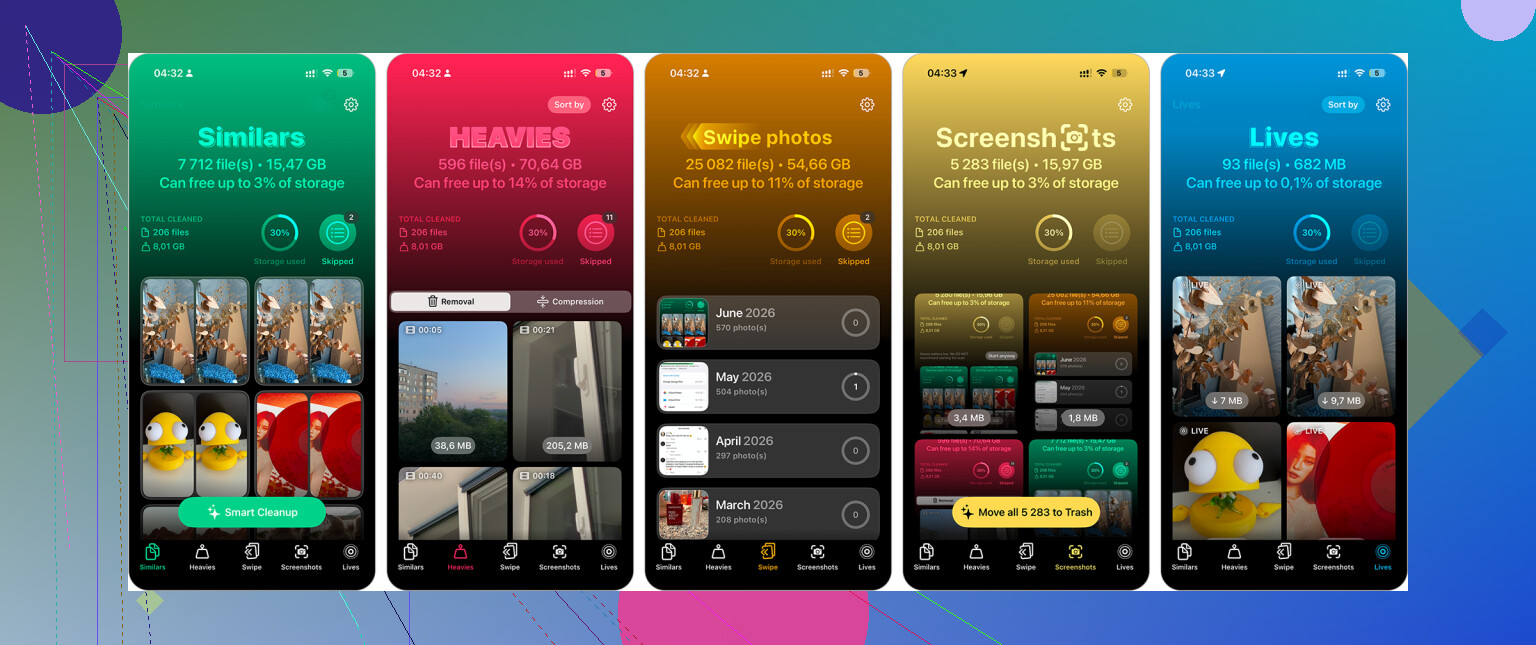
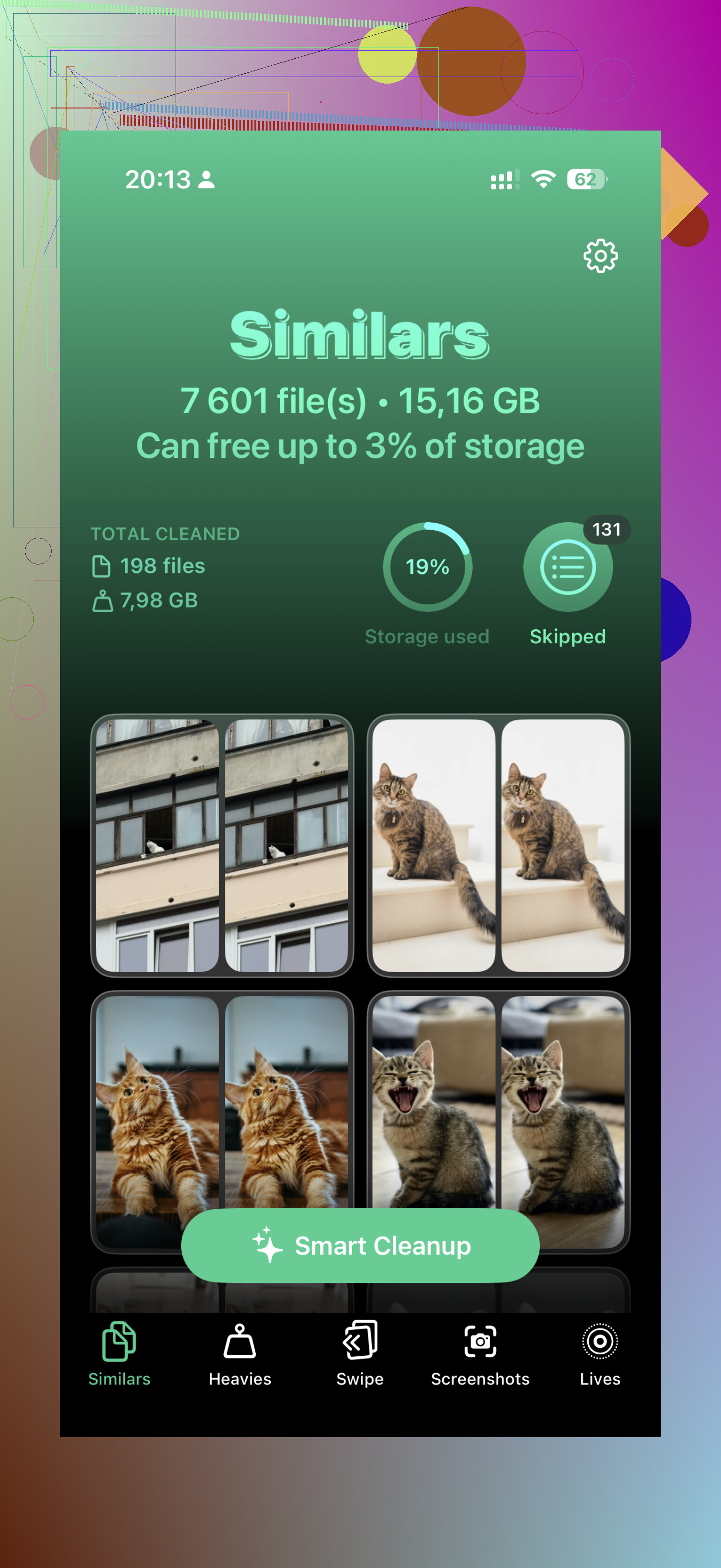
Photos are usually the big one, though. Apple’s duplicate finder helps a little, but it mostly catches exact duplicates. A cleaner app like Clever Cleaner can be more useful if your camera roll is full of five almost-identical shots of the same thing. Its “Similars” tool groups those together, picks a best shot, and lets you delete the extras faster. The “Heavies” section is also worth checking because large videos can quietly eat a ridiculous amount of storage. It can also convert Live Photos into still images if you don’t care about keeping the motion part.
If you’ve already cleaned things up and still keep running out of room, then cloud storage or external storage is the next step. iCloud is the smoothest option on iPhone. With Optimize iPhone Storage turned on, your phone keeps smaller versions locally while the full-size photos and videos stay in iCloud. You still see everything in Photos, but it uses much less local space. Google Drive and Dropbox can work too, especially with their free storage tiers, but they’re more manual.
External drives are another option people forget about. You can get iPhone-compatible flash drives that plug into the phone directly. Older iPhones use Lightning, while newer models use USB-C. Some drives can even record video straight to the drive instead of filling the phone first. Just check the formatting before relying on it, usually exFAT or APFS.
It’s not as satisfying as magically adding more internal storage, but it’s a lot safer than letting someone hack the hardware and hoping the phone survives.
11 Likes
Realistically, if the storage chip is changed, Apple is going to treat that phone like it has been modified, not “upgraded.”
@mikeappsreviewer is right about using cloud or external storage instead, but the cheaper long-term fix may be boring: back up, sell or trade the phone while it still works, and buy the capacity you actually need next time.
Assume the storage size printed on the box is the storage size that phone will have for its useful life. Any “upgrade” that changes the internal NAND/storage chip is a board-level modification, not the same category as replacing a cracked screen or a tired battery.
The warranty wording matters here because people use “void” loosely. It may not mean Apple waves away every consumer right you have forever, but Apple’s own warranty excludes damage caused by service, including upgrades or expansions, done by anyone other than Apple or an Apple Authorized Service Provider. It also excludes products modified to alter their functionality or capability without Apple’s written permission. A storage-chip swap fits very neatly into the “don’t expect warranty help” bucket.
The other hidden catch is future service. Even if the storage upgrade works today, you may have made the phone harder to repair later. If the phone dies, needs a logic board-related repair, has restore problems, or gets inspected for trade-in/service, you are now depending on Apple or another shop being willing to deal with a modified board. Apple’s repair terms say it is not responsible for repair-process damage that results from unauthorized modifications or repairs, and its express replacement terms give unauthorized modifications as an example of something that can make a product ineligible for out-of-warranty service.
That’s the part I’d be most cautious about. A shop advertising “256GB to 1TB upgrade” might be technically capable, but the risk is not only the soldering job. It is data loss, update/restore weirdness, no Apple support, lower resale trust, and no simple way to prove later that a failure was unrelated.
If you are still inside warranty or AppleCare, I would not touch the internal storage. Period.
The safer choices are boring, but they keep the phone normal:
Use iCloud Photos with Optimize iPhone Storage if your camera roll is the problem.
Move big videos to a computer or external drive, then delete them from the phone and Recently Deleted.
Check Messages attachments, especially videos people sent years ago.
Delete downloaded music, podcasts, Netflix/YouTube/Disney downloads, offline maps, and game data you forgot about.
Back up and restore if “System Data” is huge and nothing else explains it.
If you are constantly fighting storage after doing that, the clean fix is selling or trading the phone and buying a larger-capacity model. That can feel wasteful, but it is usually less risky than paying someone to perform microsurgery on the logic board and hoping Apple never notices.