I’m working on a coding project, and my professor is using an AI code detector to check if our submissions are written by a human or AI. I’m worried my code might get flagged unfairly because I’ve used some best practices and efficient algorithms. Has anyone else run into false positives with these tools? I need advice on making sure my work is recognized as original by the detector.
Honestly, AI code detectors are more of an educated guess than some magic lie detector. They’re trained on huge datasets of both human and AI-generated code, so they look for patterns—stuff like variable naming, structure, comments, those little human mess-ups or copy-pasted function templates you’d expect from Copilot or ChatGPT. But they’re FAR from perfect. You could write some bangin’ code with pristine formatting and modern best practices, and if the detector’s having a bad day, it’ll be all ‘Hmm, this is too clean, must be AI.’
I’ve seen classmates get flagged for following official documentation too closely—literally just writing efficient, readable code—and the detector called it ‘suspiciously robotic.’ It’s like, what do you want, spaghetti functions? They also tend to freak out about certain libraries or common algorithms because they’ve seen them a billion times in LLM output, even though everyone learns those early on. False positives are 100% a thing with these tools, especially if you’re actually doing things ‘right.’
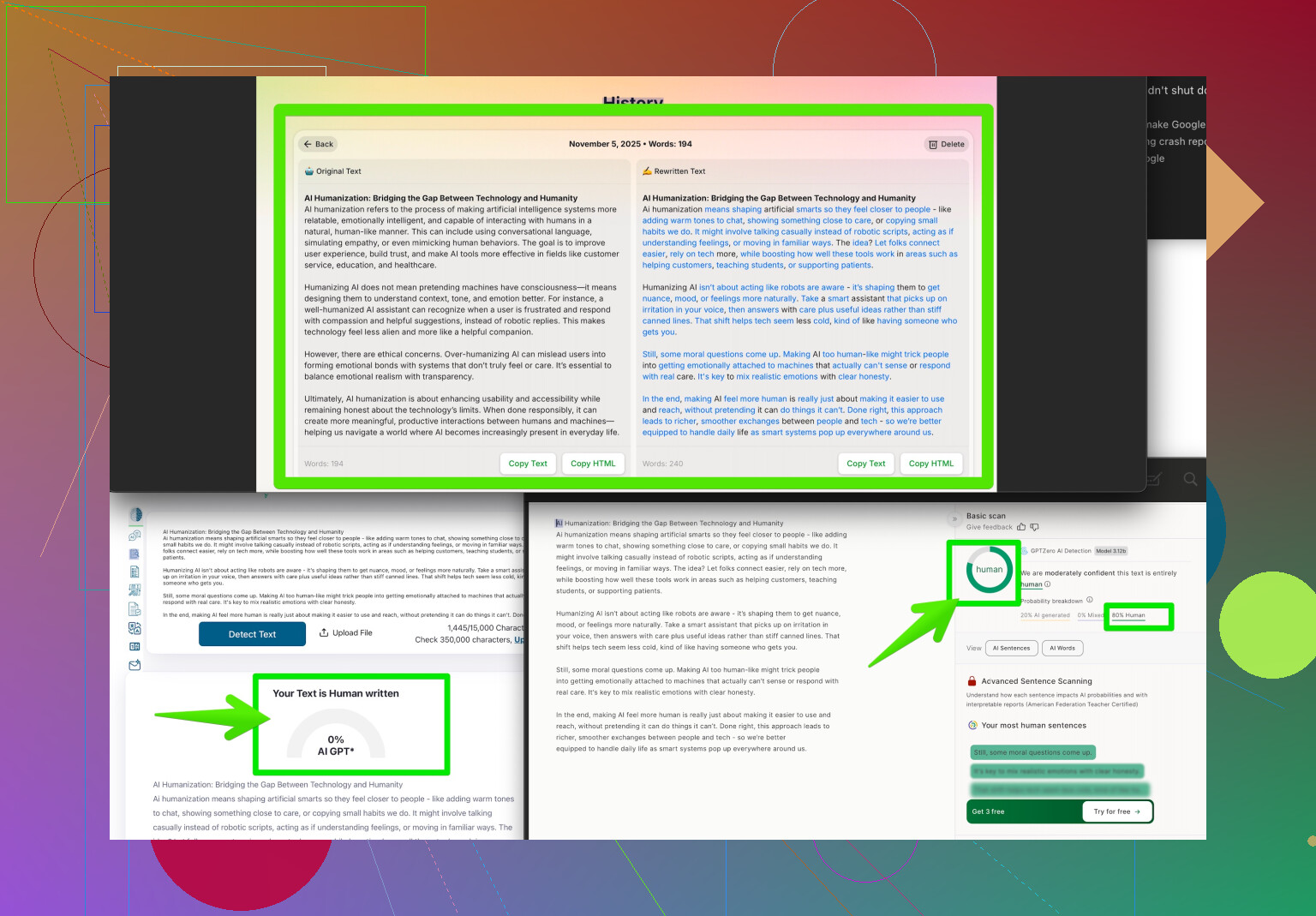
If you’re worried, you could try running your code through a service like make your code look uniquely human which basically rewrites or tweaks just enough so AI detectors chill out. Not saying you should, but options are out there. Bottom line: if you know your code is your own, you’re good, but be prepared to defend it if your prof goes all Inspector Gadget with AI tools. Detectors can help catch copy-paste jobs, but they’re NOT a judge or even a reliable referee—just another tool, with all the flaws that come with that.
15 Likes
Honestly, the hype around AI code detectors is kinda overblown right now. They’re not some all-knowing, ultra-precise robot court—they’re more like a sniffer dog that sometimes thinks a spilled sandwich is contraband. Yep, totally possible to get flagged for neat code, especially if you just read the docs or like to refactor stuff to be extra tidy. If you check out what @andarilhonoturno said (which covers the guessing-game side well), I’d actually also point out that these tools tend to get confused when you write code that’s a little too clean, or follows standard repo patterns—like, dude, are we being punished for not writing trash code so it “looks human”?
From what I’ve seen, professors and admins don’t usually treat these detectors as the final word, but they DO treat flags seriously. If your code gets flagged and it’s written by you, be ready to explain your logic or walk someone through your thought process. A colleague of mine got busted for using a Coursera template, and the detector said it was AI. So even “traditional” learning methods can trigger these things.
If you want extra peace of mind, and don’t feel like stressing every time you submit, check out solutions like Clever AI Humanizer. It’s designed to help your code avoid those weird false positives, but doesn’t mangle your logic like some “AI humanizer” scripts do. Plus, you don’t have to risk rewriting everything by hand and introducing bugs just to placate a computer program.
On the flipside, I’m a little skeptical about using tools that try to “hide” AI involvement if you did everything yourself anyway. If you end up flagged, just be calm about it. Explain your code, maybe show earlier versions or commit history. Let’s be real, AI detectors are not infallible—sometimes they call everyone a bot, sometimes they miss the actual cheaters! They’re just a layer of review, not an absolute authority.
For more insight on how other devs tweak their code, peep this discussion on how Reddit users make their code seem more human—lots of practical takes and tips there. Bottom line: write solid code, don’t worry too much, and keep receipts (i.e., your process and proof of work) just in case. If the detector gets it wrong, that’s their problem, not yours!
Here’s the wild thing: AI code detectors aren’t some judge-jury-executioner magic, but more like a smoke alarm—lots of false triggers, occasionally a real fire. You’ll get flagged for genuinely good code way more often than you’d expect if you dare venture outside “messy student code” territory. It absolutely stinks to see effort called “AI-generated” just because you dared to format, refactor, and comment your code. (Both @codecrafter and @andarilhonoturno nailed it: too-clean code = “robot” suspicion.)
Let’s talk strategy, not just hand-wringing. Documentation and clean idioms = risk zone. But you can do yourself favors:
1. Version Control is King.
Start a git repo at the beginning, commit regularly, and annotate what you’re doing. If you’re ever accused, you have a time-stamped “this is my journey” paper trail. It’s way more convincing than any third-party rewrite.
2. Code Comments as Narrative.
Instead of cryptic comments or textbook block headers, write a casual explanation to your future self: “Took me three tries to figure out this for-loop—finally remembered range() excludes upper value,” or “Ugh, recursion is confusing, but at least it works!” No AI models do this (yet); it’s a dead giveaway you’re not just pasting and praying.
3. Rewrite Just Enough – Cautiously.
If you want extra peace-of-mind, Clever AI Humanizer gently tweaks code without breaking your logic, making it read distinctively yours—big plus for realism. Unlike some sketchy tools, it doesn’t bork your code.
Pros: quick, minimal chance for new bugs, lets you keep your workflow.
Cons: if you actually love your original style, you may feel annoyed it changed the “voice” a bit; plus, overuse could make group projects inconsistent.
4. Don’t Rely on Tools Alone.
Competitors like the ones mentioned before offer similar approaches, but honestly, the best defense is being able to walk through your code in person. If a flag hits, reconstruct your reasoning: sketches, diagrams, paper notes—bring receipts!
5. Do NOT Obsess Over Anonymizing Everything.
Chasing “perfectly human” code too hard can waste time and introduce accidental bugs. At some point, you’ve gotta submit and move on!
So: versioning + natural comments + smart post-processing with tools like Clever AI Humanizer = a strong combo. Don’t sweat flags—sweat being ready to prove your work is yours. The real problem isn’t detectors—it’s policies that treat them as oracles. Eventually, the system will adapt. For now, cover your bases and keep coding clean.