I accidentally deleted important photos from my Canon camera before backing them up, and I really need help recovering them fast. The images are from a recent shoot and can’t be retaken, so I’m looking for the best way to restore deleted Canon camera photos safely without making things worse.
I had this happen on a Canon card once, and the first move matters more than the recovery app. Stop using the camera. Power it off. Pull the SD card out now. If the card has a lock tab, slide it to lock.
Deleted photos are often still on the card for a while. The camera usually removes the pointer, not the file data right away. New shots and video clips write into those old spots. When that happens, recovery drops off fast.
Before you mess with recovery tools, check the easy places:
- image.canon: If you had sync turned on, your files might still be in the cloud for up to 30 days.
- Trash or Recycle Bin: If you deleted them from a Mac or PC while the card was mounted, they might still be sitting there.
- Backups: Look at Google Drive, Backblaze, Time Machine, or whatever you use. I’ve seen people forget a backup already grabbed the card contents.
If those checks come up empty, use recovery software on a computer with a separate SD card reader. Don’t plug the Canon in over USB and expect the same result. A lot of cameras expose files through a transfer layer, not raw card access, and recovery apps tend to work better when they scan the card itself.
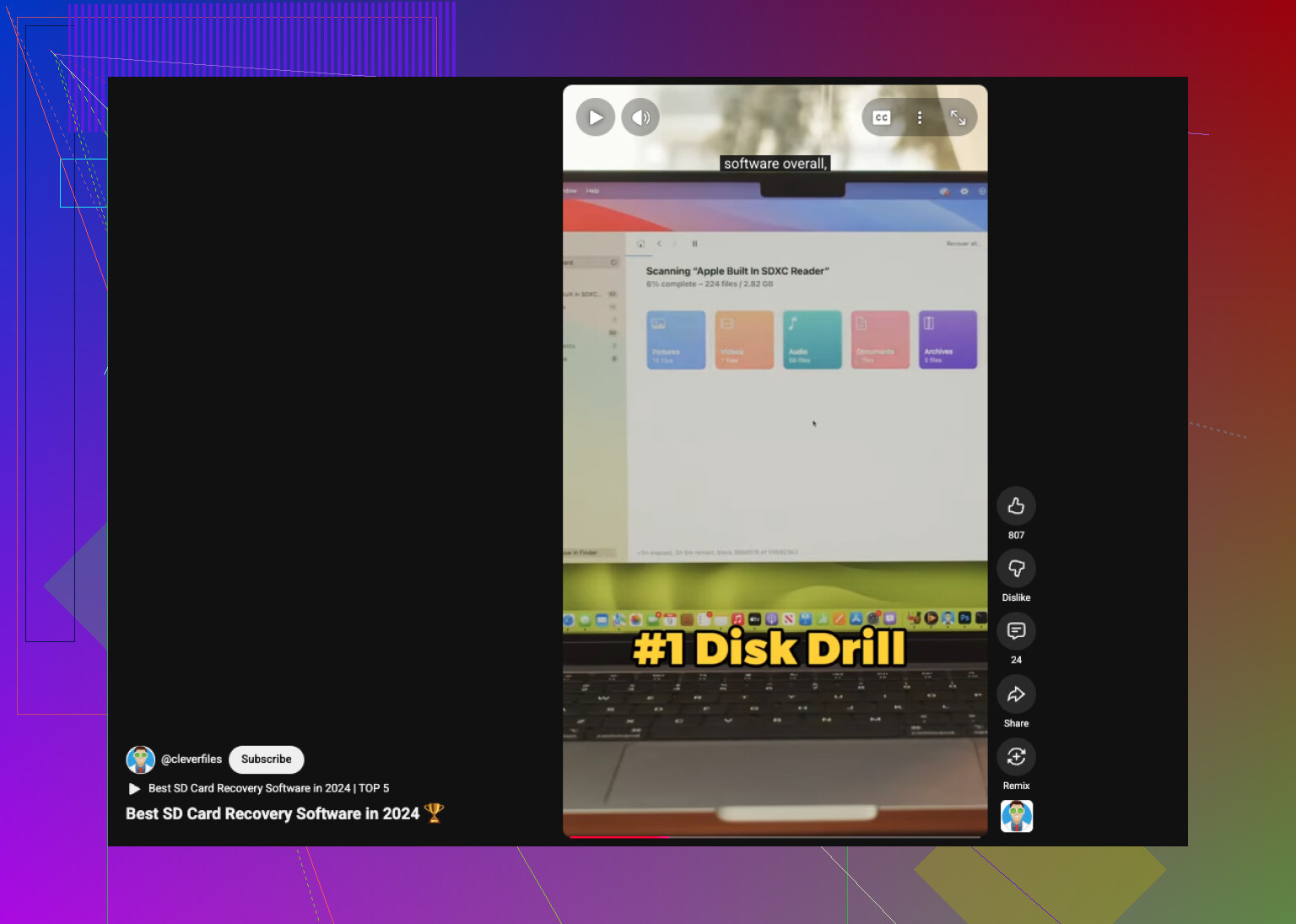
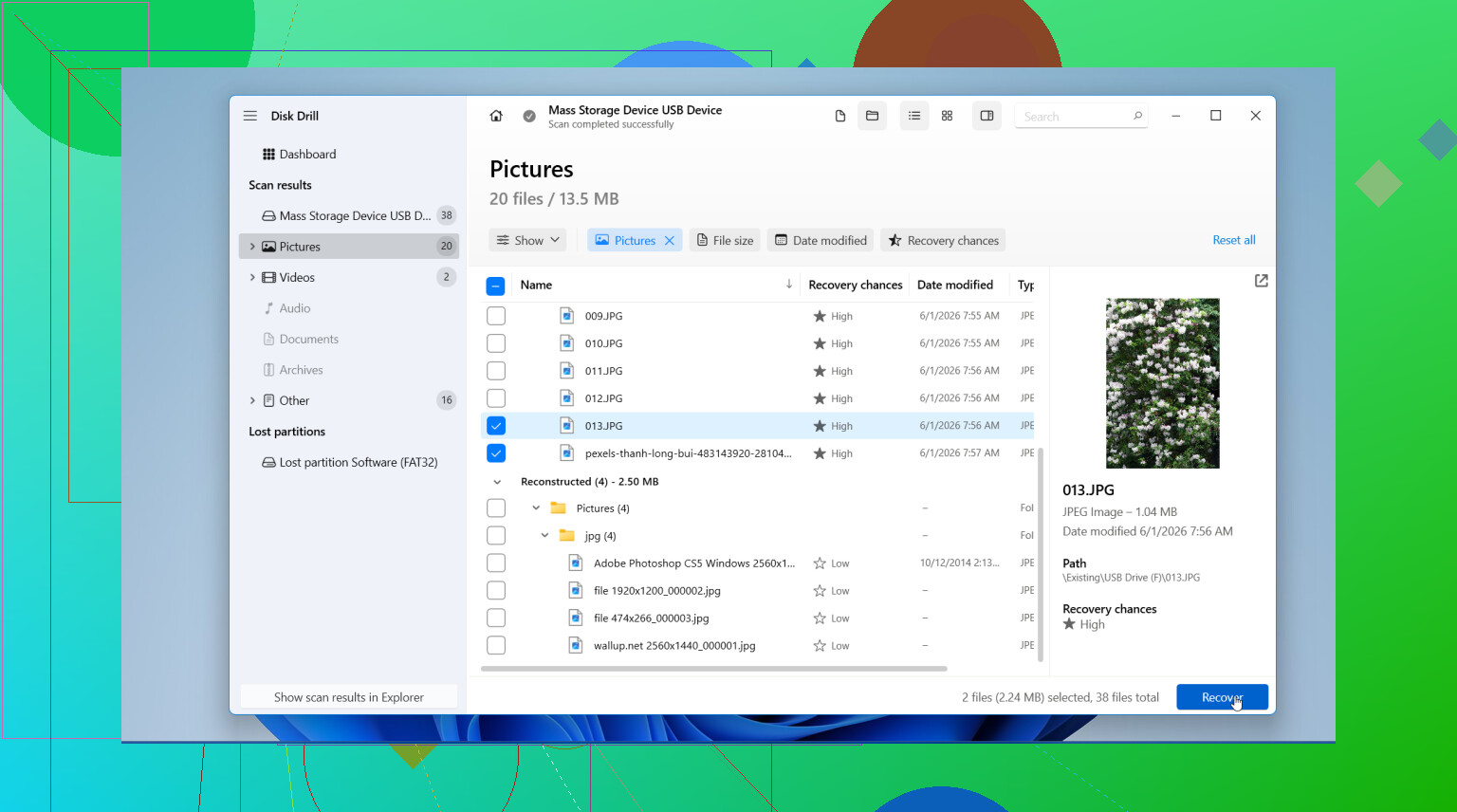
I’ve had the best results with Disk Drill. What stood out for me was how well it picked up Canon file types, including CR2, CR3, JPEG, and video files. The preview tool helps a lot, since you can check whether the photo opens before restoring it. On Windows, there’s also a free 100 MB recovery limit, which is enough to test whether your files are still there.
If you want a free route, PhotoRec still gets recommended for a reason. It works. I’ve used it. But it’s rough. No polished interface, no nice folder restore, no original names in many cases. You often end up with a pile of recovered files and a sorting job after.
The usual process is pretty simple:
- Install the app on your computer drive: Put it on your internal drive or another safe disk. Do not install anything onto the SD card.
- Insert the SD card and run a deep scan: Use a card reader, pick the card in the software, then let it scan fully. Big cards take a while.
- Preview the results: Filter for photos if the app supports it. Check the thumbnails or previews and mark what you want back.
- Recover to a different location: Save the restored files to your computer or an external drive. Never write them back to the same Canon card during recovery.
After you’ve copied everything you were able to save, back it up somewhere else too. Then put the SD card back in the Canon and format it in-camera before using it again. I’d do that only after I confirmed the recovered files open fine. If you move fast and don’t keep shooting on the card, your odds are usuallly pretty good.
6 Likes
First, leave the card out of the camera. I agree with @mikeappsreviewer on that part. Where I differ a bit is the urgency to try every cloud check first. If these are from a fresh shoot, I’d spend the first 10 minutes on a proper scan, not hunting through old backup apps.
My fast triage:
- Check whether the card still shows full or near-full capacity. If yes, your files often still sit there.
- Use a USB card reader, not the camera body.
- Run one scan with Disk Drill. It’s one of the better picks for Canon photo recovery, esp for CR2, CR3, JPG, and MP4.
- Preview before saving anything.
- Restore to your computer, never back to the SD card.
One extra tip people skip. If your Canon wrote to a second slot, or you had RAW to card 1 and JPEG to card 2, check the other card first. Sounds obvios, but people miss it all the time.
If the photos were deleted in-camera and you did not shoot more after, recovery rates are often high. If you recorded 4K video after deletion, odds drop fast because video writes big blocks.
If Disk Drill finds file names but previews are broken, try sorting by file signature or extension and recover the RAWs first. Those sometimes survive better than the JPEG cache versions.
Also, this short roundup of SD card recovery tools is worth a quick look:
best SD card recovery software for deleted photos
Do one clean scan, save what opens, then stop messing with the card. Too many people make it worse by trying five apps in a row for no reason.
I’d add one thing neither @mikeappsreviewer nor @suenodelbosque really pushed hard enough: check whether the card itself is failing, not just “deleted.” If your Canon suddenly started acting weird, showing card errors, slow saves, or missing thumbnails before this happened, do not keep rescanning it over and over. That can make a bad card go fully dead.
Fastest sane move for me:
- put the SD/CF card in a reader
- if the computer struggles to read it, make a card image first if your recovery app allows it
- then scan the image, not the original card
That’s where Disk Drill is actually useful beyond basic undelete. If the card mounts, scan once, recover the most important files first, and save them somewhere else. Start with RAW files before JPEGs if the shoot matters professionally. Sometimes the RAWs recover cleaner even when previews look wonky.
Also, if this was a Canon using dual recording, check whether small JPEGs got sent over Wi-Fi to your phone or tablet app. People forget that all the time and then spend hours doing recovery for no reason.
One thing I kinda disagree on: I would not bounce between 5 free tools right away just because they’re free. That usually turns into chaos and wasted time. One careful pass is better than panic-clicking.
If you want more real-world discussion on Canon/SD card recovery, this is a solid thread:
Canon SD card photo recovery tips from Reddit
Biggest rule is still simple: don’t shoot anything else on that card. That part is make-or-break, tbh.
One thing I’d do that @suenodelbosque, @ombrasilente, and @mikeappsreviewer only touched indirectly is preserve the card state before recovery if the photos are mission critical. If your computer can read the SD card normally, make a byte-for-byte image of it first and work from that copy. It adds a few minutes, but it protects you from a flaky card getting worse mid-scan.
I slightly disagree with the “scan immediately no matter what” approach if the card has any odd behavior like disconnects, read errors, or very slow mounting. In that case, imaging first is safer than hammering the original card.
About Disk Drill specifically:
Pros
- Good support for Canon formats like CR2, CR3, JPG, MOV, MP4
- Preview is useful, so you can prioritize what actually opens
- Cleaner interface than a lot of recovery tools
- Can be faster for triage than command-line options
Cons
- Not the cheapest option if you need full recovery
- Deep scans can return lots of renamed files
- On damaged cards, results depend heavily on the reader and card condition, not just the app
My practical take:
- If card is healthy, use a reader and scan with Disk Drill
- If card seems unstable, image it first, then scan the image
- Recover the highest-value files first, especially RAWs and videos
- After recovery, compare file counts against what the Canon showed before deletion
Also check whether your editing app imported previews already. Lightroom, Capture One, and even some phone transfer apps sometimes hold usable JPEG previews of RAW shoots, which can save your skin if full recovery is incomplete.