My iPhone says storage is full even after I emptied the Recently Deleted folder and removed a bunch of photos and videos. I’m trying to free up space, but the used storage amount barely changed. I need help figuring out what is still taking up space and how to actually clear iPhone storage.
I ran into this on my own iPhone, and yeah, low storage and app crashes usually go together. When the phone is packed, iOS loses room for temp files, cached data, updates, and background tasks. What I saw first was lag, then random app closes, then the storage warning.
Before you clean anything, make sure the warning is legit. Safari and shady pages on YouTube sometimes throw fake Apple-style alerts. I ignore the pop-up and check the phone itself. Go to Settings > General > iPhone Storage and wait a bit for the graph to load. If you still have a few GB free, the alert was likely fake. If the bar is red and packed, then yep, storage is the problem.
One thing tripped me up the first time. Deleting photos does not free space right away. iPhone dumps them into Recently Deleted for 30 days. So you delete 12GB of videos, feel productive, then storage barely moves. I did this once and thought the phone was broken. Open Photos, scroll to Utilities, open Recently Deleted, then remove everything there. Until you do tht, the space is still taken.
If storage still looks bad after emptying that folder, check System Data. Apple used to call it Other. It holds caches, logs, temp junk, and leftover bits from apps like Instagram, Safari, Spotify, TikTok, stuff like that. A plain restart helped me more than I expected. Power off, turn it back on, then recheck storage. For bloated apps, I stopped trying to hunt for hidden cache settings. I deleted the app and reinstalled it. Annoying, yes. It worked.
On my iPhone 13, the slowdown got ugly. Typing had a delay. Camera roll took ages to open. Even Messages felt sticky. I tried the manual route first, going through Photos, Files, Downloads, old attachments in Messages. It ate up way too much time.
So I tried a cleanup app and ended up sticking with Clever Cleaner. I don’t trust most of these apps, so I was half expecting a paywall after two taps. Didn’t happen. No subscription pop-up, no ad spam, no weird upsell loop. What mattered more to me was privacy. It keeps the processing on the device, so your photo library is not being shipped off somewhere else for analysis.
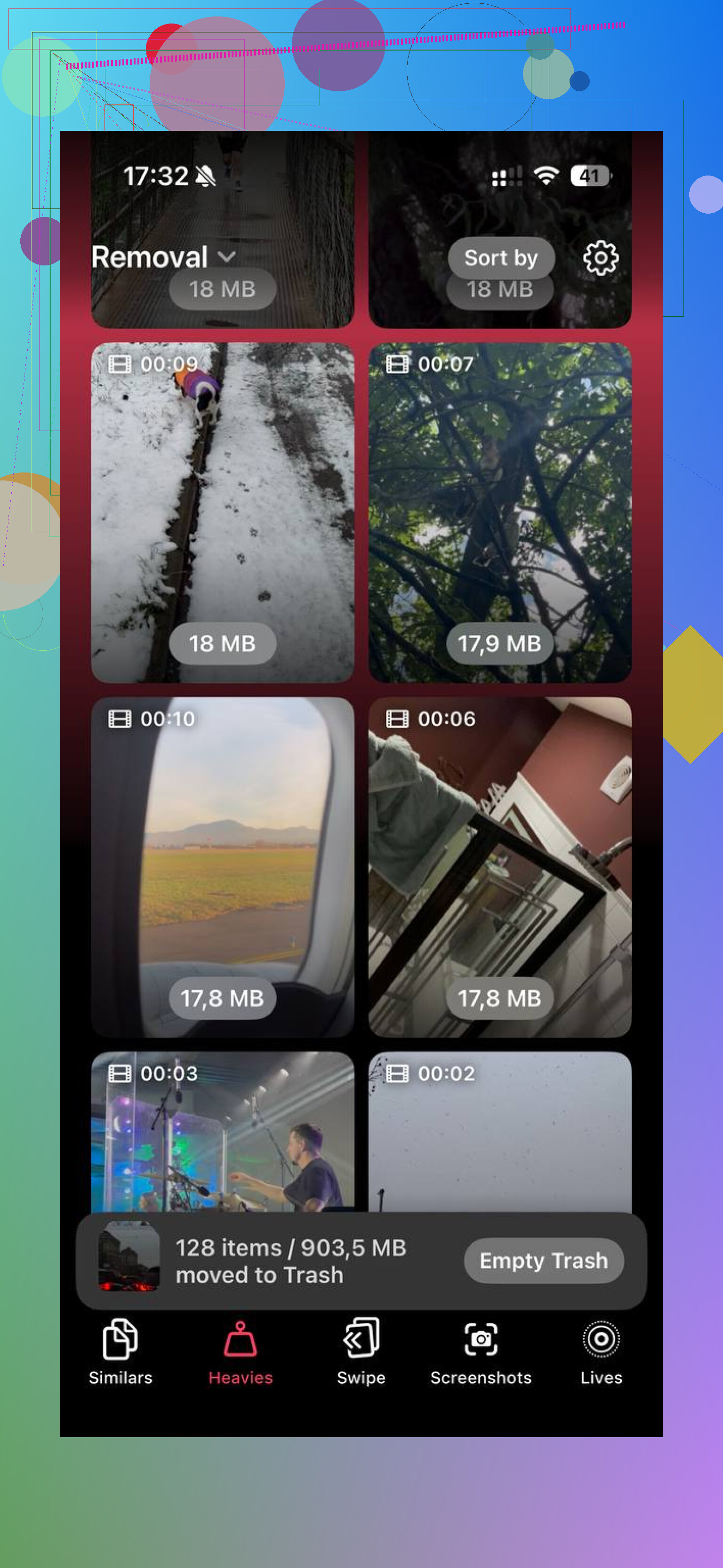
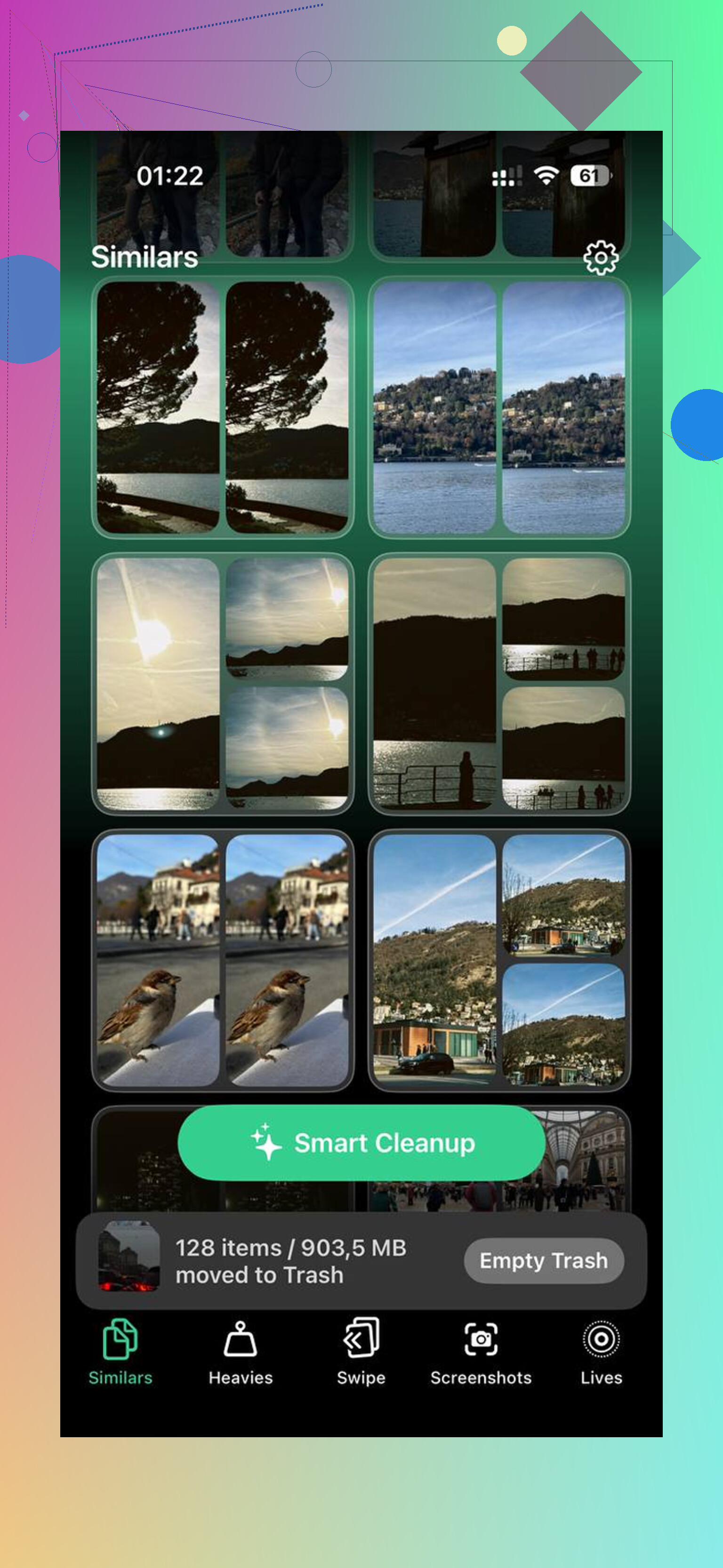
The part I used most was the photo matching tool. It grouped near-duplicate shots, which helped because I had whole clusters of the same receipt, the same cat pic, the same blurry concert clip. It also picked a best shot, which saved me from opening each image one by one. The other useful section was the large files view. That made it easy to spot huge videos and giant screenshots fast. I found several clips over 400MB and moved some off the phone. After I cleared around 15GB, the lag stopped. Apps quit crashing too. I was kind of annoyed it took me so long to do it.
If you already emptied Recently Deleted, restarted, removed app bloat, and storage is still being swallowed by System Data, then you might be dealing with one of those weird iOS bugs. At that point I’d back up the phone, wipe it, and restore from backup. It’s a pain. Still, it tends to clear out corrupted leftover storage info and reset the mess.
I’d do it in this order.
1. Check storage in Settings > General > iPhone Storage.
2. Empty Recently Deleted in Photos.
3. Restart the iPhone.
4. Delete and reinstall apps with huge caches.
5. Offload or remove large videos, downloads, and message attachments.
6. Use a cleanup tool if manual sorting is taking forever.
7. Back up and reset if System Data still refuses to shrink.
Start small. Recently Deleted and a reboot fixed a big chunk of it for me. If your library is huge, use a tool and save yourself the hour of scrolling. Hope it helps.
6 Likes
If the number barely changed after emptying Recently Deleted, I’d look at 3 places people miss.
-
Messages.
Open Settings > General > iPhone Storage > Messages. Old photo threads, voice notes, GIFs, and videos pile up fast. I once cleared 8GB there on one phone. Most people never check it. -
Files app and Downloads.
Safari downloads, PDFs, ZIPs, edited videos, WhatsApp saves, all sit there quietly. Open Files > Browse > On My iPhone and iCloud Drive. Sort by size if you need to. Same for streaming apps with offline downloads. -
iCloud Photos behavior.
If you use iCloud Photos with Download and Keep Originals, your phone keeps full copies. Deleting a few items might not move the needle much if the library is huge. Switching to Optimize iPhone Storage often frees a lot more than deleting random pics.
I slightly disagree with @mikeappsreviewer on one part. Reinstalling big apps helps, but I’d check app-specific storage first, because some apps let you remove downloads without losing logins and settings. Netflix, Spotify, Podcasts, YouTube, map data, all worth checking.
Also, storage numbers on iPhone do lag. Sometimes it takes a bit to recalc. Plug it in, connect to Wi-Fi, leave it locked for 20 to 30 mins, then recheck. iOS does some cleanup when idle. Annoying, but true.
If your photo library is the main problem, Clever Cleaner is worth a look for duplicate shots and large videos. This guide on the best AI cleaner apps for iPhone storage cleanup shows how tools like this perform in real testing and makes the options easier to compare.
Last thing. Check Mail. The Mail app hangs onto big attachments longer than people think. I freed 3GB there once. Apple hides the mess prety well.
If the Photos number didn’t drop much, I’d stop staring at Photos and look at stuff iPhone hides in plain sight.
Big one nobody mentioned enough: failed iOS update files. Go to Settings > General > iPhone Storage and see if there’s an iOS file sitting there. I’ve seen old update packages hog multiple GB for no reason. Delete that if it shows up.
Also check Podcasts, Voice Memos, GarageBand, iMovie, CapCut, Lightroom, etc. Those apps keep exported junk and project files that do not show up the way people expect. Same with Chrome, not just Safari. Browser cache can get stupidly huge.
I kinda disagree a bit with @mikeappsreviewer on reinstalling every big app right away. That works, sure, but it’s a pain and sometimes nukes downloads/settings you actually wanted. I’d target content-creator apps and media apps first because they’re usualy the worst offenders.
Another sneaky one: synced media from a Mac or PC. Old music, movies, TV episodes. People forget that stuff is still local.
If your storage graph looks obviously wrong, connect to power overnight on Wi-Fi. iOS sometimes recalculates late, which is peak Apple behavior.
And if sorting the photo mess manually is driving you insane, Clever Cleaner is honestly one of the better options for finding duplicate pics and huge videos fast. Also, this full Clever Cleaner app walkthrough for iPhone storage cleanup makes it easier to see what it actually does before installing.
@sonhadordobosque was right about Mail being sneaky, but I’d add this too: if Mail is huge, removing and re-adding the account can flush old attachment cache faster than poking around forever.
If after all that “System Data” is still absurd, that’s when backup + restore becomes the annoying but real fix. Sad, dumb, effective.