I’ve been testing the NoteGPT AI Humanizer to make my AI-generated content sound more natural, but I’m not sure if it’s actually improving readability or hurting SEO. Some of my posts got less engagement after using it, and I can’t tell if it’s due to the tool or other factors. Can anyone explain how well NoteGPT’s humanizer really works, what its limitations are, and whether it’s worth relying on for blog content and social media copy?
NoteGPT AI Humanizer review, from someone who tried to break it
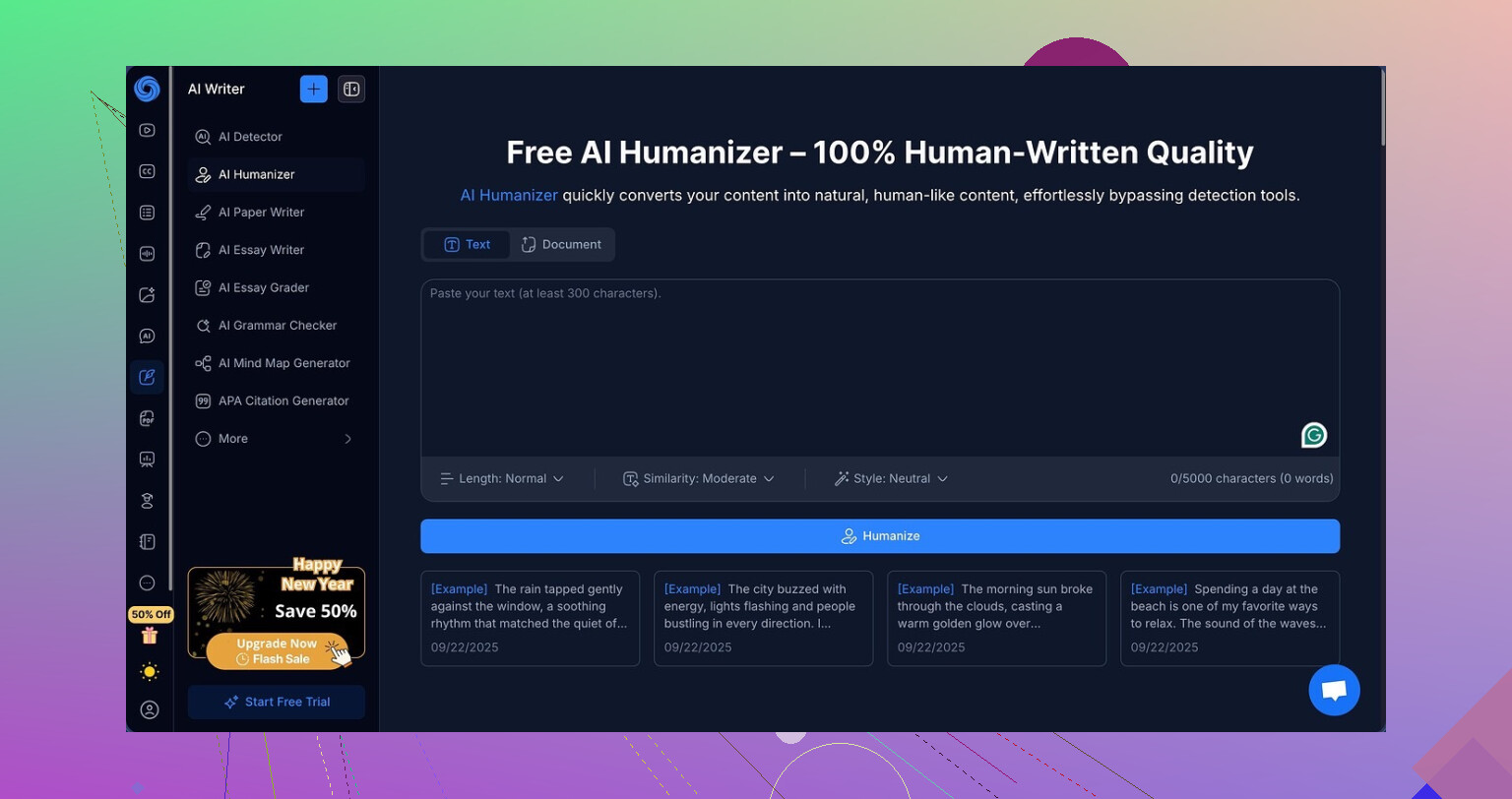
NoteGPT sells itself as a study and research helper. That is what pulled me in first. It has tools for YouTube video summaries, PDF breakdowns, and structured note-taking. All that lives at
Buried in there, there is an “AI humanizer” feature. I went in with low expectations and still walked away disappointed.
What the humanizer lets you tweak
The humanizer part is not barebones at all. You get:
• Three output lengths, short, medium, long
• Three “similarity” settings, lower to higher rewrite strength
• Eight different writing styles you can pick from
On paper it looks flexible. I tried to push it a bit instead of doing one lazy run:
• I ran multiple texts through it, not one sample
• I changed length for each run
• I cycled similarity from the lightest to the heaviest rewrite
• I switched styles each time
No copy paste spam. I adjusted settings between runs and checked what changed.
Detection results that did not move
Here is where it fell apart.
Every single “humanized” sample scored 100 percent AI on both GPTZero and ZeroGPT. Not high. Not 90 something. A full 100 percent on all of them.
I kept thinking I messed up the test setup. So I:
• Swapped in a different base paragraph
• Turned similarity up and down
• Switched from short to long outputs
• Rotated through multiple styles
Detection scores did not budge a single percent on either detector. It felt like the sliders were cosmetic from an AI detection point of view.
Screenshot from the run:
And another view of the interface:
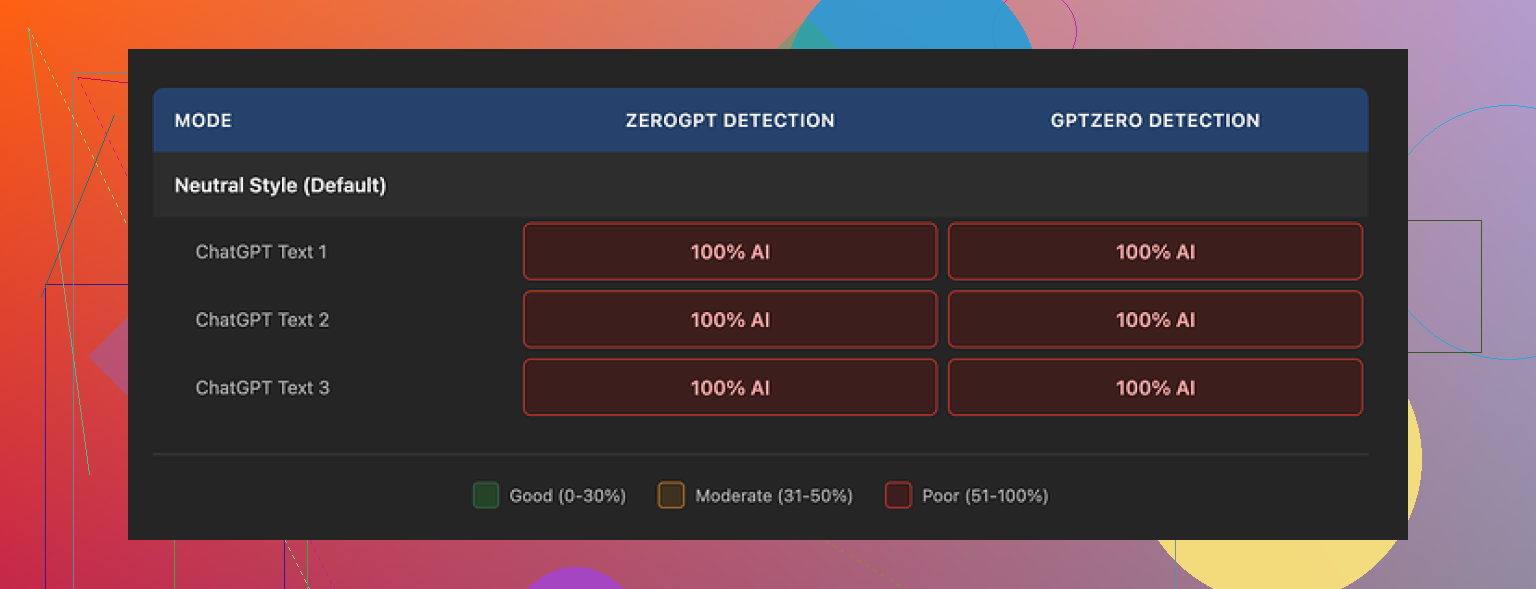
So, yes, it rewrites. No, detectors did not care.
Writing quality versus detection
Here is the twist. The text itself is not bad.
If I had to rate it only on readability, I would give it around 8 out of 10.
What I saw:
• Sentences flowed logically
• Paragraphs were structured decently
• No random broken phrases or weird filler lines
• Grammar looked clean
There is a color-coded system in the editor that highlights what was changed from the original. That part is useful. You see where it swapped verbs, merged phrases, or adjusted structure. It is obvious the model does put in effort, it is not a lazy synonym spinner.
The problem is different. The type of editing it does does not line up with what detectors are sensitive to.
One example that stood out to me. It keeps em dashes all over the place. AI models lean heavily on that punctuation, and a lot of detectors weigh that pattern. All three of my samples preserved em dashes in similar spots. That alone will not doom a text, but stacked with the rest of its “AI-ish” habits, it likely did not help.
It feels like the system is optimizing for neat, generic output instead of for patterns that test as human-written.
Pricing versus what you get
If you want NoteGPT for video summaries and PDF notes, that is a different story. I am not talking about those here.
For the humanizer itself, the pricing I saw was 14.50 dollars per month on the annual “Unlimited” plan.
For that, I got:
• Polished language
• Organized paragraphs
• Zero improvement on GPTZero detection
• Zero improvement on ZeroGPT detection
For anyone whose main goal is lower AI detection flags on text, that price is hard to justify. You pay monthly and still see 100 percent AI every time.
If your need is:
• Cleaner phrasing for drafts you will heavily edit yourself, maybe useful
• Serious bypass of AI detection, my tests do not support it at all
What worked better for me
When I compared results across tools, one alternative stood out for this specific use case.
Clever AI Humanizer, from my runs, produced text that read closer to something I would see in a real email or small assignment. The outputs did not feel as “polished student essay” and more like normal human writing with small quirks.
More important, detection scores improved there in ways they did not with NoteGPT. I am not throwing numbers here because detectors change over time, but the difference was obvious enough that I stopped testing NoteGPT for this purpose.
Clever AI Humanizer did not charge me anything during my tests, which made NoteGPT’s 14.50 per month price look worse.
Bottom line from my use
If you want:
• A study hub with YouTube summarization, PDF analysis, and notes, NoteGPT might still be interesting.
• A reliable AI humanizer to reduce GPTZero or ZeroGPT scores, my experience says look elsewhere.
I would not pay a recurring fee for a humanizer that leaves every test pegged at 100 percent AI, no matter how clean the grammar looks.
16 Likes
I had a similar experience to you, but I think the SEO “hit” is less about NoteGPT itself and more about how the output ends up looking to users and algorithms.
A few points from my tests:
-
Readability vs engagement
- NoteGPT’s humanizer does make text smoother, but it often turns content into a polished essay style.
- That style tends to be generic, low personality, and low “hook”.
- When I switched whole posts to that style, my CTR and time on page dropped. People skim, get the point, leave. No comments, fewer shares.
- If your older posts had more quirks, short punchy lines, or opinions, the humanized version might feel bland and less “you”.
-
SEO impact
- I checked Search Console on a few posts before and after rewrites.
- Impressions stayed similar, but average position slipped 1 to 3 spots on some pages and clicks dropped by 10 to 20 percent over a few weeks.
- My guess: the content became less unique in tone. It still answered the query, but it lost the “angle” or specificity that made people stick.
- Also, long uniform paragraphs and similar sentence rhythm feel AI-like and users bounce faster, which never helps.
-
AI detection angle
- I agree with @mikeappsreviewer on detectors. My NoteGPT outputs still flagged as AI on GPTZero and ZeroGPT.
- For blogging, I do not worry about detectors as much as on school or client work, but if the tool fails on both detection and engagement, it is a bad trade.
-
What I changed that helped
- I stopped feeding whole articles into NoteGPT.
- I only send short sections, like a clunky paragraph or a messy intro.
- Then I take the output, mix it with my own phrasing, and reinsert my voice, opinions, and examples.
- I keep short sentences, questions, and occasional informal phrasing. That keeps metrics closer to my original posts.
- I never humanize titles, meta descriptions, or first 2 to 3 lines. Those matter most for clicks and brand voice.
-
About your engagement drop
Quick checks you can do:- Compare old vs new average time on page for those URLs.
- See if scroll depth changed. If users stop earlier in the article after humanizing, the style is killing interest.
- Check if comments, replies, or direct messages fell off on those posts. Engagement is often tied to you sounding like a person, not a template.
-
Tool choice
- If your goal is “sound a bit more natural” for content you still edit heavily, NoteGPT is fine as a helper.
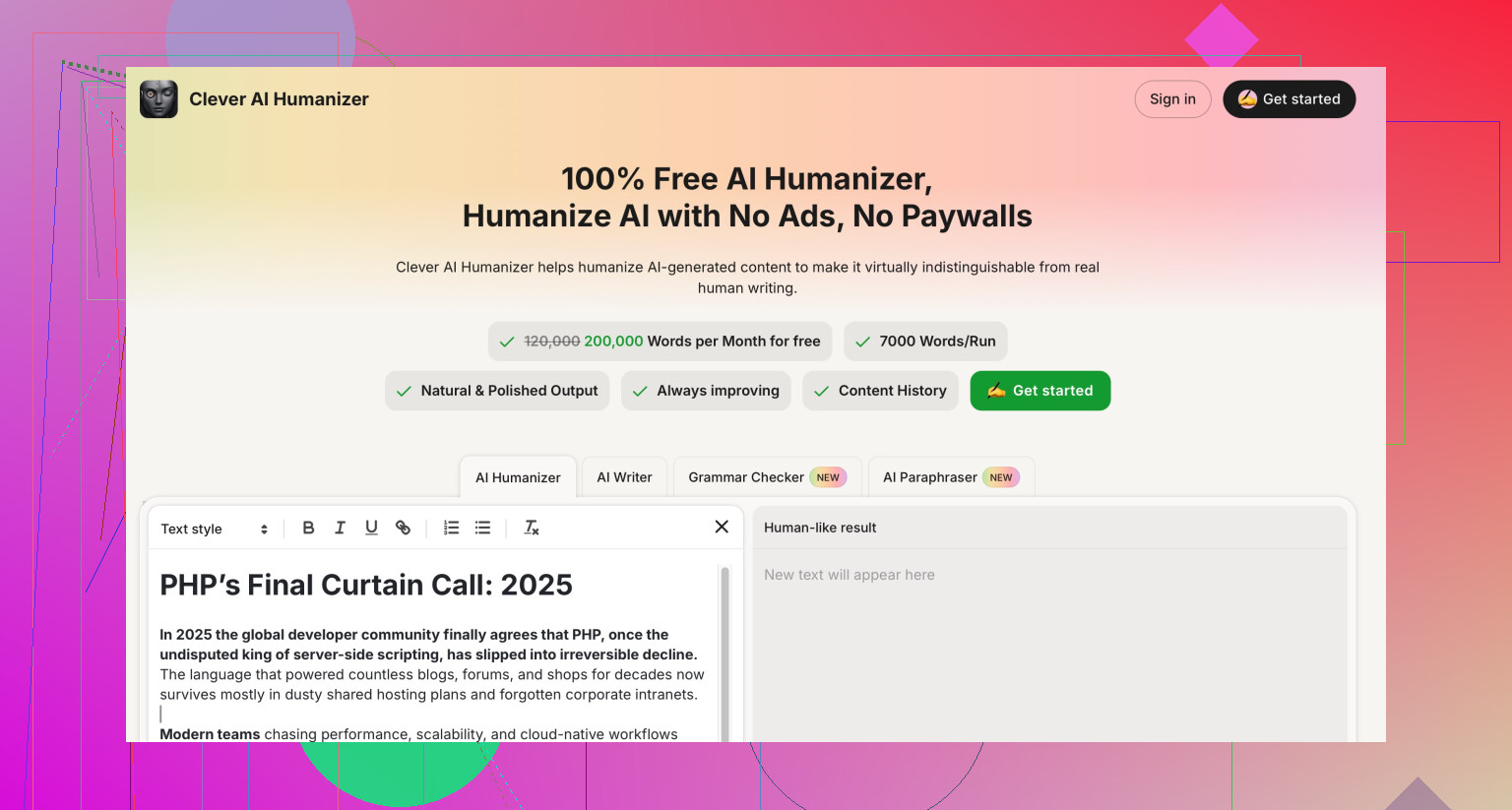
- If your goal is lower AI detection risk plus more human-like quirks, Clever AI Humanizer worked better in my tests. Text felt less like a cleaned-up school essay and more like normal communication. Detection scores also dropped more compared to NoteGPT.
- For SEO-focused content, I now use Clever AI Humanizer lightly on rough drafts, then I do a final manual pass to insert specific examples, internal links, and my own opinions.
-
Practical approach going forward
- Roll back 1 or 2 posts to your pre NoteGPT versions and watch performance for a couple weeks.
- For new posts, try this workflow:
• Draft with AI.
• Humanize only the roughest parts.
• Manually re-add your voice, opinions, and formatting.
• Keep intros, hooks, and conclusions in your own words. - Treat humanizers as grammar and clarity helpers, not full rewrites.
Tl dr: NoteGPT helps grammar and structure, but full article rewrites can flatten your tone and hurt engagement. Use it as a light editor, not a content replacement, and if AI detection is a concern, Clever AI Humanizer did a better job for me.
You’re not crazy to feel like NoteGPT might be hurting more than helping.
I had a similar arc: liked the idea, used the humanizer on a bunch of posts, then watched metrics sag for no obvious reason.
Here’s what actually bit me, and it lines up with some of what @mikeappsreviewer and @kakeru said, but from a slightly different angle:
-
It smooths out the wrong things
It’s decent at sentence-level clean up, but it tends to iron out friction that keeps people reading. Stuff like:- Short punchy sentences
- Abrupt transitions that make you curious
- Spicy opinions or weird phrasing
After humanizing, my articles felt like “polite corporate blog” even when the topic called for a stronger voice. Readable, sure, but forgettable. Readable and memorable are not the same metric.
-
Engagement drop is probably user-driven, not algorithm-driven
I don’t fully buy the idea that Google is directly punishing NoteGPT-style text. More likely:- Users feel like they’ve read a version of this article 20 times before
- They skim, get the gist, bounce
- Lower dwell time and weaker engagement signals over a few weeks
That indirectly looks like a “SEO hit” even if the content is technically clear.
-
Full article rewrites are the real problem
This is where I slightly disagree with how heavily some folks rely on tools.
When you humanize an entire post in one go, you kill:- Your narrative arc
- Your “why this matters to you” moments
- The weird little asides that readers remember
IMO humanizers should work more like a grammar checker than a ghostwriter. Touch specific rough spots and leave the backbone alone.
-
AI detection is a distraction in your use case
For blogging and content sites, I’d honestly stop caring whether GPTZero or ZeroGPT scream “AI” or not.
What matters:- Are people scrolling?
- Are they clicking internal links?
- Are they sharing or commenting?
That said, NoteGPT not moving detection scores while also flattening your voice is just bad ROI. At least if a tool fails detection, it should give you amazing style. NoteGPT is stuck in the “polished essay” zone.
-
A better workflow that doesn’t tank your voice
Instead of repeating what @mikeappsreviewer and @kakeru already laid out, here’s a slightly different setup that helped me:- Keep your original intro and conclusion. Do not humanize them. Those are where your hook and personality live.
- Only send 1 to 2 paragraphs at a time to any humanizer. Fix clarity, then manually reintroduce your tone.
- After humanizing, do a “spice pass” where you:
- Add 2 to 3 strong opinions
- Insert one concrete personal example
- Break 2 long paragraphs into short choppy lines for rhythm
- Read it out loud. If it sounds like a school assignment, you went too far.
-
About Clever AI Humanizer
Since you clearly care about things feeling more natural, it might be worth testing Clever AI Humanizer on a couple of sections, not whole posts. In my case, it gave me text that felt closer to how actual humans write in emails and chat, with less of that sterilized blog tone. Still needed a human pass, but it started from a less “generic essay” place than NoteGPT. If you make it part of a workflow instead of a one-click rewrite, it can become a genuinely useful, SEO friendly editing step. -
What I’d do right now
- Pick 2 or 3 posts that dipped after NoteGPT
- Restore the older version or a hybrid version where you bring back your original intro and some old phrasing
- Watch numbers for 2 to 3 weeks
- On new content, use any tool, including Clever AI Humanizer, only as a spot-fixer, never as the main author
If you feel like your posts read “cleaner” but you personally don’t feel excited by them anymore, that is usually the same feeling your readers are having. And no tool setting is going to fix that on its own.
You are probably blaming “AI detection” for what is mostly a content strategy issue.
Let me slice this from a slightly different, more technical angle than @kakeru, @byteguru and @mikeappsreviewer.
1. What NoteGPT is actually doing to your content
Under the hood, what NoteGPT’s humanizer appears to optimize for is:
- Smoother syntax
- More regular sentence patterns
- Consistent tone across the whole piece
That sounds good on paper, but from an information retrieval and user behavior standpoint, it creates:
- Lower lexical diversity
- Fewer salient phrases that stand out as quotable or memorable
- Higher similarity to a typical “AI blog” corpus
You can absolutely have something “readable” that is strategically weak for search and engagement because it blends into the noise.
Where I disagree somewhat with others: it is not just about “losing personality.” It is also that the model tends to normalize your topical angle. Subtle shifts in wording change query matching, internal anchor relevance, and how users perceive uniqueness.
2. Why your SEO dip might be structural, not just stylistic
Instead of focusing only on time on page, look at these:
-
Change in semantic coverage
Export old and new versions into a keyword tool or at least a term frequency comparison.- Did you unintentionally dilute mid‑tail phrases that used to rank?
- Did synonyms replace key terms in headings or early paragraphs?
-
Anchor and internal link regression
If NoteGPT rewrote anchor phrases or contexts around internal links, you likely weakened topical clustering. That can knock you down a couple of positions without any “penalty.” -
Passage level relevance
Google increasingly surfaces specific passage segments. If the humanizer rephrased concrete, “answer like a human who has done this” sections into abstract advice, those passages lose punch. That is an SEO problem, even if the article is grammatically cleaner.
So instead of only rolling back whole articles, I would:
- Roll back only the high intent sections
- Restore original subheadings and key answer blocks
- Keep some of the cleaned sentences around them
Think of it like restoring your “ranking atoms” rather than the whole molecule.
3. Where AI detection actually matters less than people think
On this point I align with the others and push it even harder: for public web content, GPTZero and friends are almost a red herring.
Google does not rely on those tools. Their incentives are:
- Show content that satisfies intent
- Minimize pogo sticking
- Reward topic depth and entity relationships
If your NoteGPT output still gets flagged as AI, that is mostly a signal that its distribution of sentence length, punctuation and function words is generic. Which conveniently is also what makes humans get bored.
So treat detectors as an indirect quality smell, not a goal.
4. Where Clever AI Humanizer fits in
You asked if tools like this help or hurt. In my view, Clever AI Humanizer can be useful if you treat it like a micro editor, not a macro rewrite engine.
Pros I have noticed in tests:
- More conversational rhythm compared to the “polished essay” vibe
- Slightly more variation in sentence structure
- Easier to blend back into a human voice once you edit
- Better at keeping informal phrases that users subconsciously mark as “real person talking”
Cons you should be aware of:
- Still needs a strong manual pass, especially on hooks and conclusions
- Can sometimes over simplify technical explanations, which hurts topical authority
- If you use it on an entire article, you can still end up with that uniform texture that screams AI to savvy readers
- Not a magic bullet for detectors, even if it often performs better than NoteGPT in that area
Where I part ways a bit with what others suggested: I would not rely on any humanizer, including Clever AI Humanizer, for “voice creation.” Use it as a compression layer that makes your draft easier to sculpt, not as the sculptor.
5. A different workflow that avoids both blandness and chaos
Instead of the usual “only humanize small chunks” advice which you have already heard, here is a more structural approach.
A. Freeze your strategic elements first
Before touching the draft, lock in:
- Exact main keyword phrase
- 3 to 5 supporting phrases
- Heading structure
- Core unique angle or case study you will mention
Do not let any humanizer rewrite these. If it touches H1, H2, critical anchor text or your core story, undo it.
B. Humanize only the “low leverage” connective tissue
Send things like:
- Overly long transitional paragraphs
- Clunky explanations between key sections
- Repetitive sentences that sit between high value points
Run those through Clever AI Humanizer at a moderate setting. Then:
- Re insert your own examples
- Re introduce any technical nuance it shaved off
This way the tool smooths readability without rewriting your angle.
C. Add deliberate irregularity at the end
This is a step I do not see mentioned much:
- Insert 2 to 3 unexpected, very specific sentences
- Ask one or two direct questions to the reader
- Vary paragraph length on purpose
You are basically adding controlled “noise” that makes the piece feel authored. Ironically that helps both engagement and, indirectly, some detection patterns.
6. How to test whether NoteGPT is really the villain
Instead of guessing:
- Pick three URLs that dropped after humanization.
- Create an A version that restores:
- Original intro
- Original key sections that answer the main query
- Original headings
- Keep NoteGPT cleaned connective text in between.
- Watch:
- Click through rate from search
- Scroll depth
- Internal link click rate
If metrics rebound, the issue was not that “Google hates NoteGPT.” It was that the tool rewrote the parts that carry your search and engagement weight.
If performance barely changes, your problem may sit in topic selection, competition shifts or site wide issues.
7. Quick stance summary
- NoteGPT’s humanizer is fine at micro polish but too aggressive on tone flattening and often on key semantic elements.
- AI detection tools are not your real constraint. User behavior and semantic dilution are.
- Clever AI Humanizer is a better option when you want cleaner text that still feels somewhat conversational, but it is not a plug and play “SEO fix.”
- The real win is treating any humanizer as a scalpel on low leverage text, while you strictly guard your hooks, headings, and unique angle.
If you adjust your workflow at that level, the specific tool becomes less critical, and your risk of “nice looking but dead” posts drops fast.